Pre-launch usability check
Watch AI users try your product before real users do.
Ghostwalk runs synthetic personas through your signup, onboarding, and pricing flows and generates a usability report showing where they get stuck.
Free trial
50 free credits. No setup.
Cost
$0.50-$2.50 per persona session
Setup
Paste a URL. No card required.
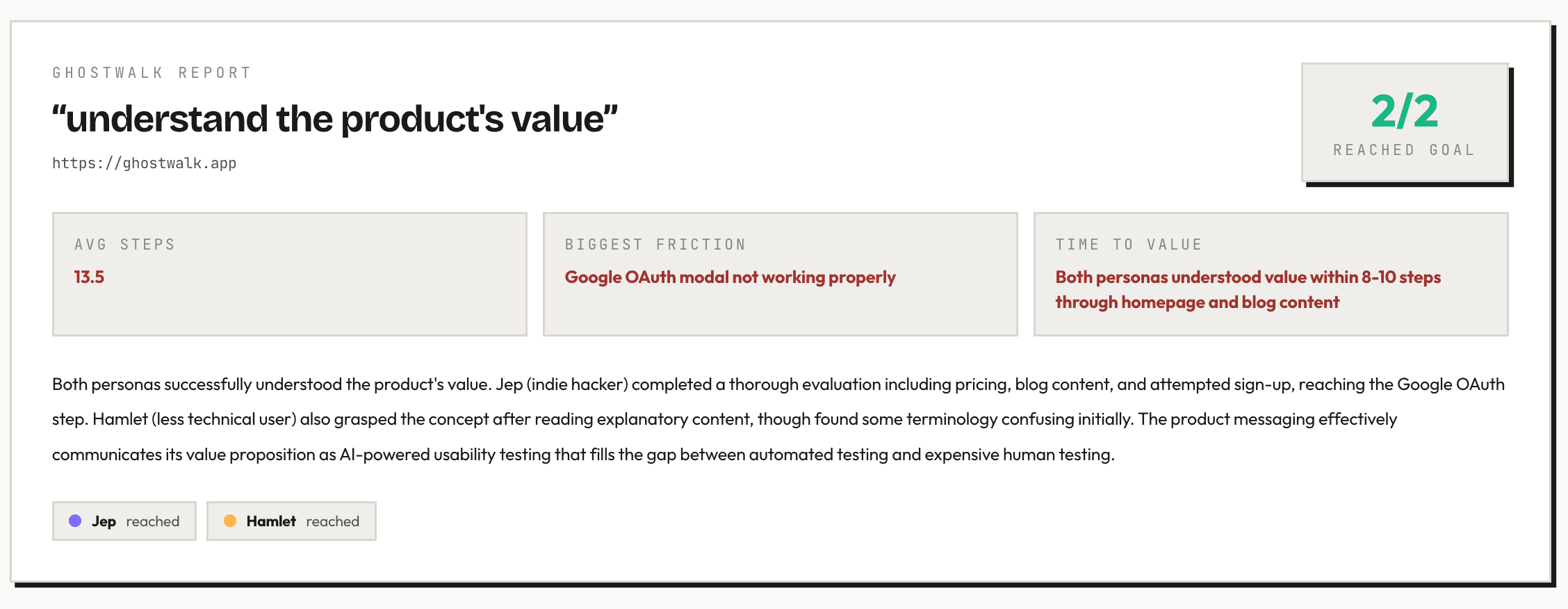
Example usability report
What you get after one run
Persona
First-time founder
Task
Sign up for Ghostwalk
Result
Abandoned- User confused by pricing page
- Attempted signup twice
- Abandoned at verification step
How it works
Three steps. No mystery.
Paste a URL, let the personas loose, and read the report.
Paste a URL, configure tester personas
Point Ghostwalk at your signup, onboarding, or pricing flow, then choose or customize personas that match your audience.
AI personas try your product
Ghostwalk clicks through like a fresh visitor and records hesitation, backtracks, and dead ends.
Get a usability report
See what broke, which persona hit it, and what to fix before launch.
Example output
The report should explain the value faster than the pitch.
One run should show exactly what broke, who hit it, and whether it is worth fixing before launch.
Persona
First-time founder
Task
Sign up for Ghostwalk
Result
- User confused by pricing page
- Attempted signup twice
- Abandoned at verification step
Example issues Ghostwalk personas detected
- Pricing confusion
- Broken signup flows
- Missing onboarding guidance
Real report
Concrete findings, not vague advice
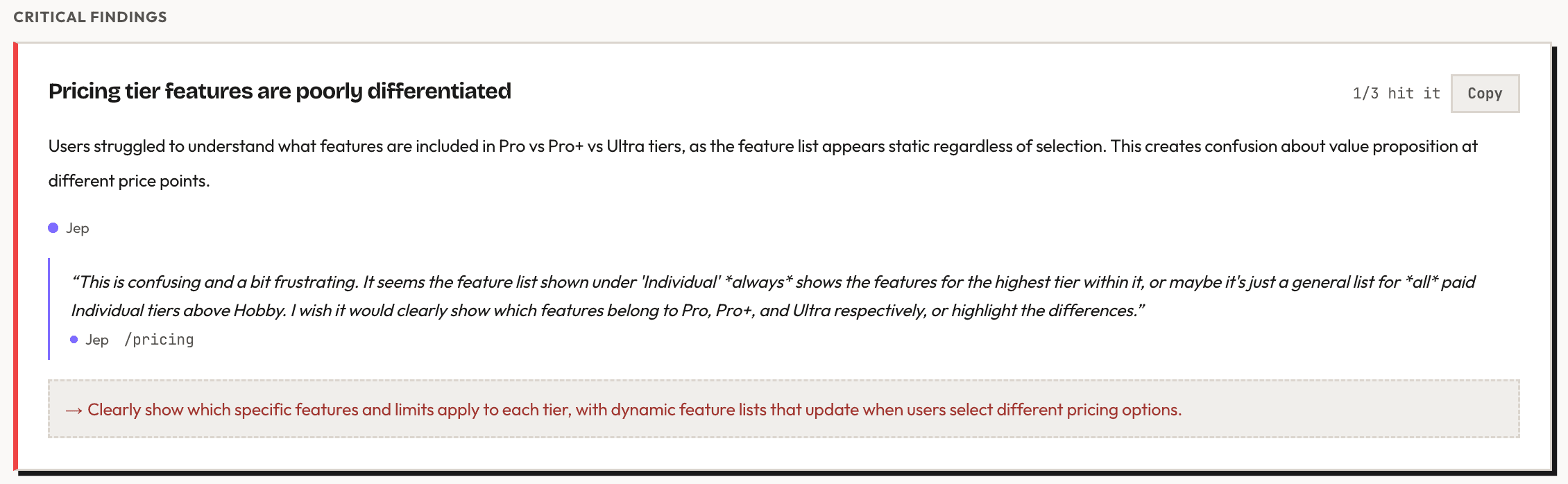
Actual Ghostwalk output showing the exact moment a persona hit a trust break.
Real replay
See the stumble happen
Watch Ghostwalk personas move through the flow, hesitate at key moments, and leave the kind of evidence you can inspect before real users arrive.
Pricing
Cheap enough to run before every launch.
You start with 50 free credits. After that, credit packs put most persona sessions in the $0.50-$2.50 range depending on flow length and which pack you buy.
Credit model
1 credit = 1 persona step
Typical study
10-50 steps per persona
Credit packs
50 free credits. No card required.
Most studies use 10-50 steps per profile depending on task complexity.
$5
100 credits
Small pack
$10
250 credits
Medium pack
$40
1,250 credits
Large pack
Why synthetic personas?
Automated tests
Automated tests verify code, not comprehension.
A green test suite will not tell you whether a first-time visitor understands the CTA, trusts the pricing page, or knows what to do next.
Ghostwalk
Run synthetic personas on the live flow first.
Use Ghostwalk as a fast pre-launch pass on the real product so obvious friction does not reach humans first.
Real users
Spend human time on the questions that need humans.
Once the broken stairs are gone, real-user sessions can focus on nuance, preference, and willingness to pay.
Before launch
Run a walkthrough before you send real traffic to a confusing flow.
- Catch avoidable friction before it reaches Reddit, Product Hunt, or paid traffic.
- Compare how different personas interpret the same flow.
- Fix the obvious problems before you spend real-user time on nuance.